Chronological interleaving
A Rumble message does not sit behind a tab you forgot about. It arrives in the same column as everything else, in the order it was sent, so nothing waits for you to remember it exists.
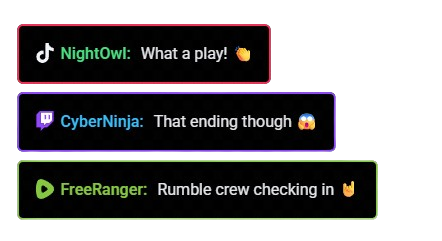
StreamUps reads Rumble and TikTok chat into one merged overlay alongside Twitch, YouTube and Kick, each message badged by platform. Neither Rumble nor TikTok accepts replies from third-party tools, so seeing those messages in your eyeline is the only way to respond to them.
These are the two chats where nothing can answer for you. That is the whole reason this page exists.
On Twitch, YouTube and Kick, a bot is a second pair of hands. A viewer types !socials and gets an answer whether or not you noticed. A greeting fires for a first-time chatter. A timer plugs your Discord while you are mid-sentence.
On Rumble and TikTok, none of that runs. StreamUps reads both chats but cannot post into either — that is a limit of what those platforms expose to third-party tools, not a paywall and not a roadmap item being held back. A Rumble viewer typing a command trigger gets silence. A TikTok viewer asking about your setup gets silence.
Which means you have to see it. That is the argument, and it is why a merged overlay does more for these two platforms than for the ones with bots. Everywhere else it is convenience. Here it is the only mechanism by which those viewers get acknowledged at all.
Four things, and what each one is worth specifically when you cannot reply programmatically.
A Rumble message does not sit behind a tab you forgot about. It arrives in the same column as everything else, in the order it was sent, so nothing waits for you to remember it exists.
Every line carries the badge of the platform it came from. You know a shout-out is going to a Rumble viewer before you say their name — which matters when the shout-out is the only reply they will get.
Read and triage both chats in the same panel as the platforms you can reply to. You just answer these two out loud instead of typing.
Adding Rumble or TikTok does not create a second overlay or a second scene. They join the overlay URL you already have.
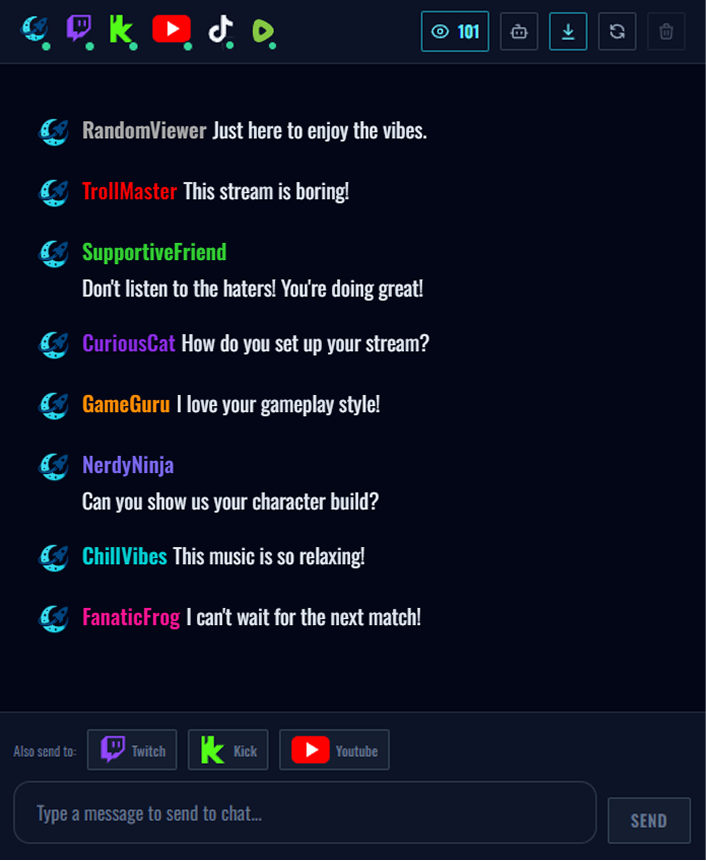
The overlay is the same browser source that already carries your merged chat overlay. Adding these two does not mean a second overlay, a second dock or a second scene.
Two different routes, because the platforms work differently. Neither takes long.
Verify a phone number on Rumble — it will not let you near the streaming tools until you do — then generate a Live Streaming API URL in your account settings and paste it into StreamUps. It confirms your channel name back to you and chat starts arriving.
Screenshots for every click are in how to add Rumble chat to OBS.
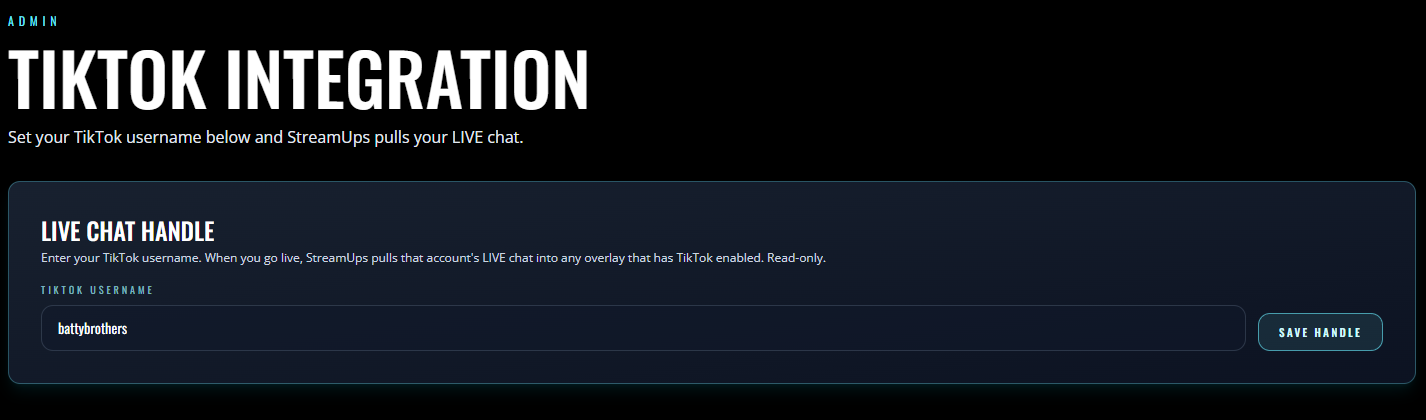
Select TikTok in the setup wizard and your TikTok Live messages, live viewer count and activity appear in the unified chat panel and overlay with everything else. No API URL, no key — it is a straight connection.
The wizard itself is covered in the merged chat tutorial.
Read this before signing up rather than discovering it mid-stream. Support for both platforms is deliberately narrower than for Twitch or Kick, and the gap is not something we can close from our side.
StreamUps reads both and posts into neither. Automated greetings, timers and AI responses reach Twitch, YouTube and Kick — a Rumble or TikTok viewer will not see them, and you should not promise them one.
A command's response is a message sent back into chat, and there is nowhere to send it. Your commands keep working normally on your other platforms in the same session, so a mixed audience gets mixed behaviour.
Anything you type in the admin dock goes to the platforms that accept it. Replies route back to the originating platform only and are never cross-posted, so a Rumble viewer is answered on air or in Rumble's own interface.
You can read TikTok chat, but StreamUps does not send video to TikTok. Rumble is different — it is a native broadcast destination as well as a chat source. Chat support and broadcast support do not always move together.
None of it is a workaround away — it is what those platforms expose. And every item on that list is a reason the merged view matters more here, not less: the fewer things that can answer for you, the more it matters that you can see the question.
Free tier, no watermark, no credit card required.